The 5 Best Printers for Homeschool Families (And the One I Actually Bought)
- HumbleHomeschoolerMama
- Jun 26
- 9 min read
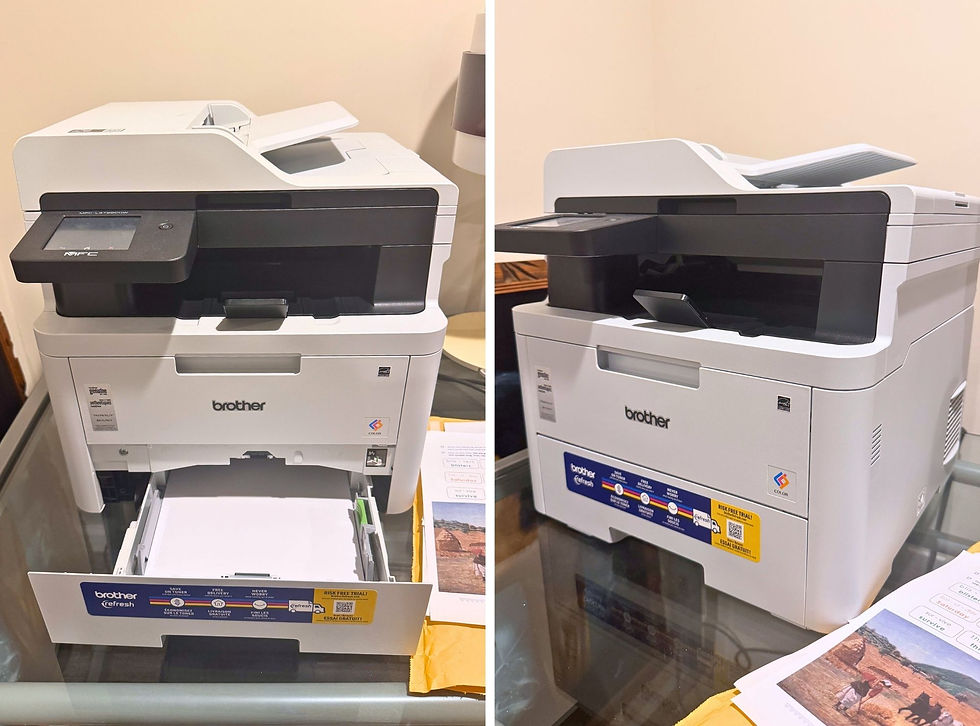
I did not expect a printer to become one of the most important purchases of our entire homeschool journey. But here we are.
Before I tell you which one I ended up buying — and why I genuinely love it two years in — let me paint the picture of what led me there, because if you're reading this, you've probably lived some version of it too.
It was a Tuesday. I had three different curriculum PDFs open, a co-op worksheet I needed 4 copies of, and a printer that decided, mid-print-job, that it was simply done with me.
Blinking orange light. No ink warning that made any sense. A "compatible cartridge not recognized" error on a cartridge I'd bought from the manufacturer themselves. I sat on the floor of my home office and genuinely considered just writing the multiplication tables out by hand for my kids, forever, rather than fighting this machine one more time.
If you've never had a printer-related breakdown as a homeschool parent, I promise you, your time is coming. This single piece of equipment gets used more in a homeschool than almost anywhere else in the house — morning basket pages, copywork sheets, science diagrams, multiple kids needing multiple copies of the same worksheet, art templates, history timelines, the occasional emergency fax (yes, really, for some co-op paperwork). A printer that can't keep up doesn't just slow you down. It actively steals time from your actual teaching.
So after that floor moment, I did real research — not just "best printer" listicles, but actual specs, actual owner reviews, and actual cost-per-page math — and I tried several before landing on the one that's now been quietly, reliably part of our homeschool for two years: the Brother MFC-L3720CDW. I'll get to exactly why below. But first, here's the full lineup, because the "best" printer genuinely depends on how your family prints.
A quick, honest note before we dive in: this post contains affiliate links. If you click through and make a purchase, I may earn a small commission at no extra cost to you. I only recommend equipment I've genuinely researched, tested, or am using myself — printers are not cheap, and I'd never point you toward one I didn't believe in.
What Actually Matters When Choosing a Homeschool Printer
Before the list, here's the framework I wish I'd had two years ago, because "best printer" means something different depending on your household:
Cost per page, not sticker price. A $90 inkjet that costs 15 cents a page in color ink will cost you far more over a year of daily worksheets than a $300 laser printer at 4 cents a page. Homeschoolers print a lot — budget accordingly.
Laser vs. inkjet vs. ink-tank. Laser printers are fast and excellent for black-and-white text (worksheets, copywork, math problems) but pricier for color. Ink-tank (supertank) printers like Epson EcoTank dramatically cut ink costs and handle color well, but are usually slower. Traditional cartridge inkjets are cheapest upfront but the most expensive to run long-term.
Multi-kid households need speed and capacity. If you're printing four copies of the same worksheet every morning, a slow printer turns into a 10-minute daily tax on your time.
Duplex printing and an auto document feeder (ADF) save paper and make scanning portfolios, narrations, or co-op paperwork dramatically less painful.
Reliability over five years matters more than features on day one. This is equipment you'll use almost daily for years — build quality and toner/ink availability matter more than any single flashy feature.
With that in mind, here's the lineup, organized from my top pick down to the best option
for specific situations.
My Top Pick: Brother MFC-L3720CDW Wireless Color Laser All-in-One
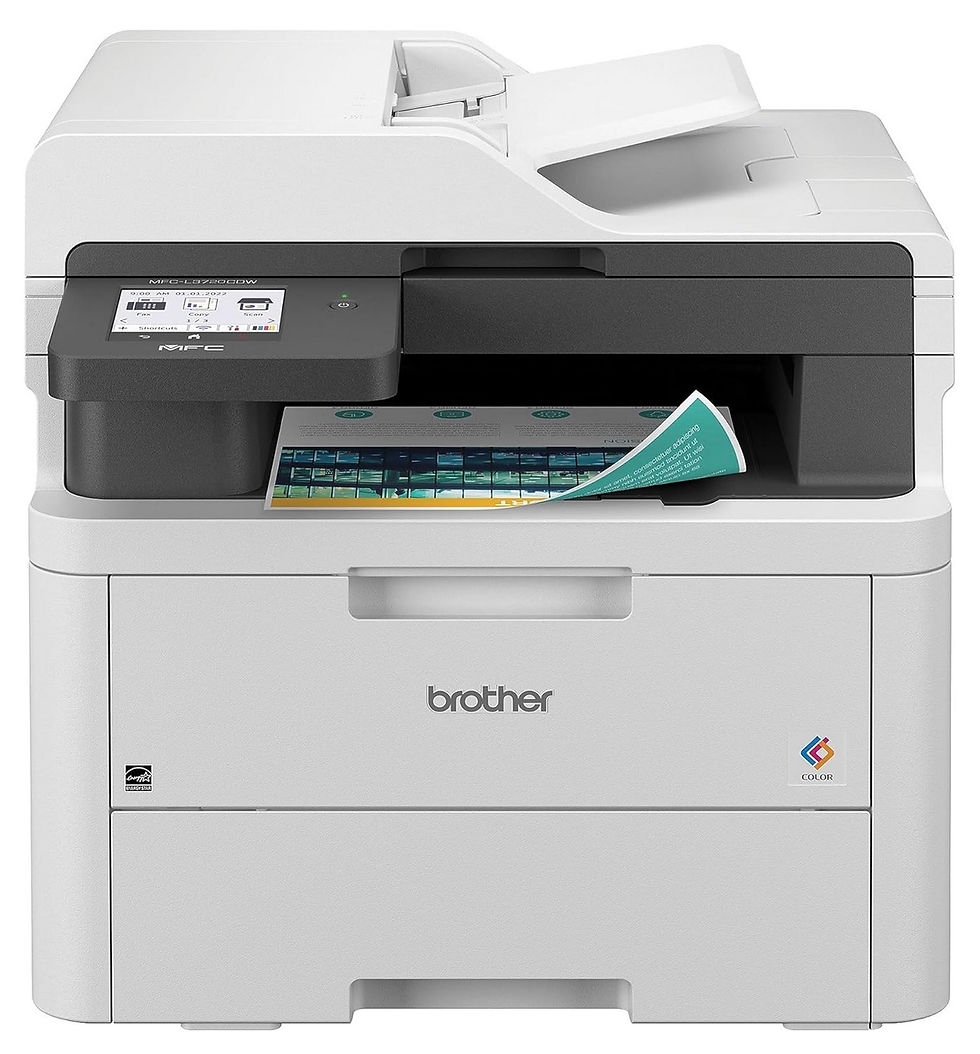
This is the printer I personally use, two years in, and the one I'd buy again without hesitation.
What it is: A color laser all-in-one with print, scan, copy, and fax, an automatic document feeder, dual-band wireless, and a 3.5" touchscreen.
The Pros:
Genuinely fast and reliable for everyday homeschool printing — 19 pages per minute for both black-and-white and color, which means worksheets and copywork pages come out almost as fast as you can grab them.
Laser means no dried-out cartridges. If you've ever opened an inkjet after a two-week break to find the cartridges dead, you'll understand why this alone is worth it. Toner doesn't dry out sitting unused, which matters on weeks when you barely print anything.
Individual toner cartridges per color — if you only run out of yellow, you only replace yellow, not a full set.
Generous 250-sheet main paper tray plus a separate single-sheet tray, so you're not constantly refilling paper during a heavy printing week.
A genuine auto document feeder (50 sheets) for scanning and copying multi-page documents — invaluable for digitizing portfolios or co-op forms.
It's simply been reliable. Two years of near-daily homeschool use, and it has never once given me the cartridge-error nonsense that sent me into that floor-sitting moment in the first place.
The Cons:
It's not cheap to run color pages. Color toner costs add up if you print a lot of colorful diagrams or art projects — budget for occasional toner orders.
It's slow on the very first page (about 15 seconds to first print), and it's the slowest color laser in its class on raw speed, even though 19 ppm is still plenty fast for home use.
It's large and heavy (about 44 lbs) — plan a sturdy, permanent spot for it rather than something you'll be moving around.
No Ethernet port, just dual-band Wi-Fi and USB — a non-issue for most homes, but worth knowing if you wanted a hardwired connection.
Why I recommend it: For a homeschool that prints daily — worksheets, copywork, the occasional colorful science diagram — this is the printer that finally got out of my way and let me focus on teaching instead of troubleshooting. The reliability over two years of real, heavy use is what sold me, and what keeps me recommending it to every homeschool friend who asks. I wrote another post entirely on this printer, here.
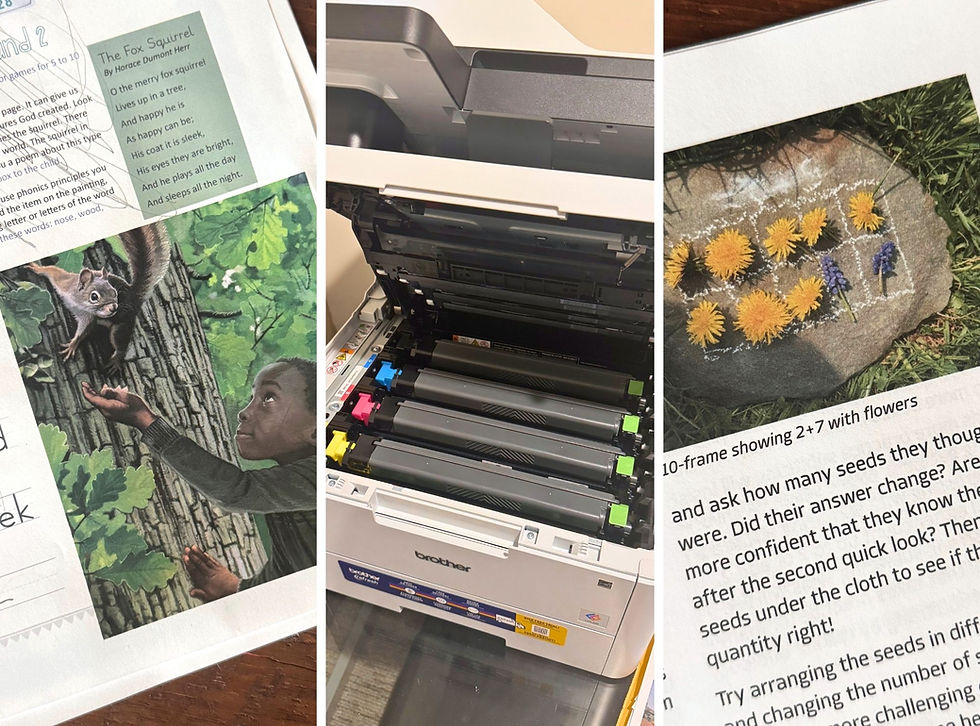
🖨️ If you print almost every single day — multiple kids, multiple worksheets — this is genuinely the printer I'd point you toward first. It's the one that ended my own printer drama for good. 👉 Check current price and availability
Best for Heavy Color Printing on a Budget: Epson EcoTank ET-2800
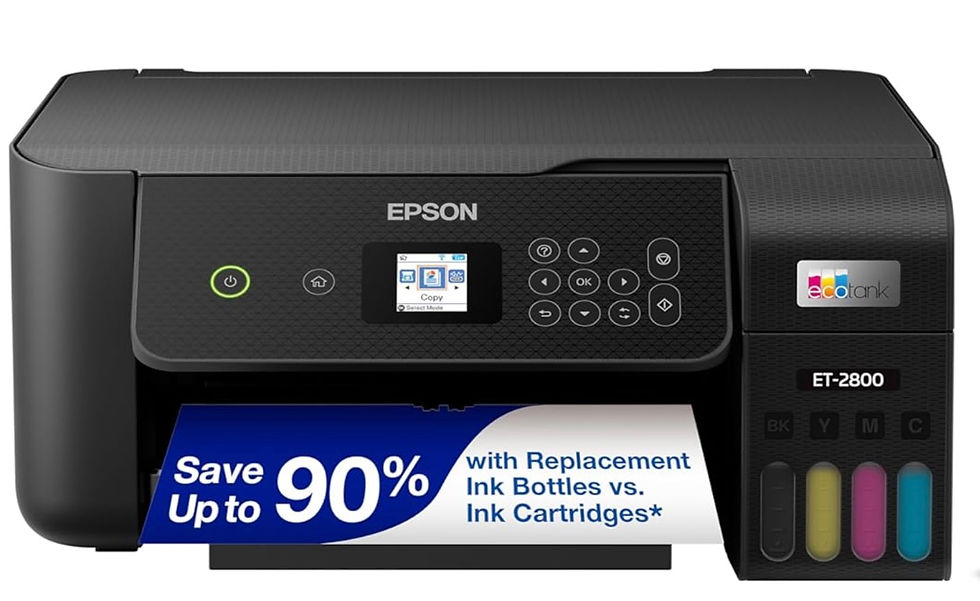
What it is: A cartridge-free, refillable "supertank" all-in-one inkjet that handles printing, scanning, and copying.
The Pros:
Dramatically cheaper ink over time — instead of replacing small cartridges, you refill large tanks, and a single ink set can print thousands of pages at a fraction of typical inkjet cost.
Comes with up to two years of ink in the box, which is an enormous head start compared to the tiny starter cartridges most inkjets ship with.
No more dead cartridges from infrequent use — the heat-free print technology and tank system tend to handle gaps between print jobs much better than standard inkjets.
Quiet operation, which matters if your printer lives in a shared learning space.
The Cons:
Photo and graphics quality is noticeably softer than a laser or higher-end inkjet — colors can look a bit washed out on detailed images.
Slower than a laser printer for large print jobs.
No automatic document feeder on the base ET-2800, so scanning multi-page documents means feeding them one at a time on the flatbed.
Why I recommend it: If your homeschool leans heavily into colorful printables, art projects, and printed picture-book-style materials, and you want to stop thinking about ink costs altogether, this is the printer that solves that specific problem better than almost anything else on the market.
🎨 If color printables and craft projects are a daily part of your homeschool, this is the printer that keeps ink costs from ever becoming a source of stress. 👉 See current pricing on Amazon
Best Budget Pick for Light Printing: Canon PIXMA TR4720
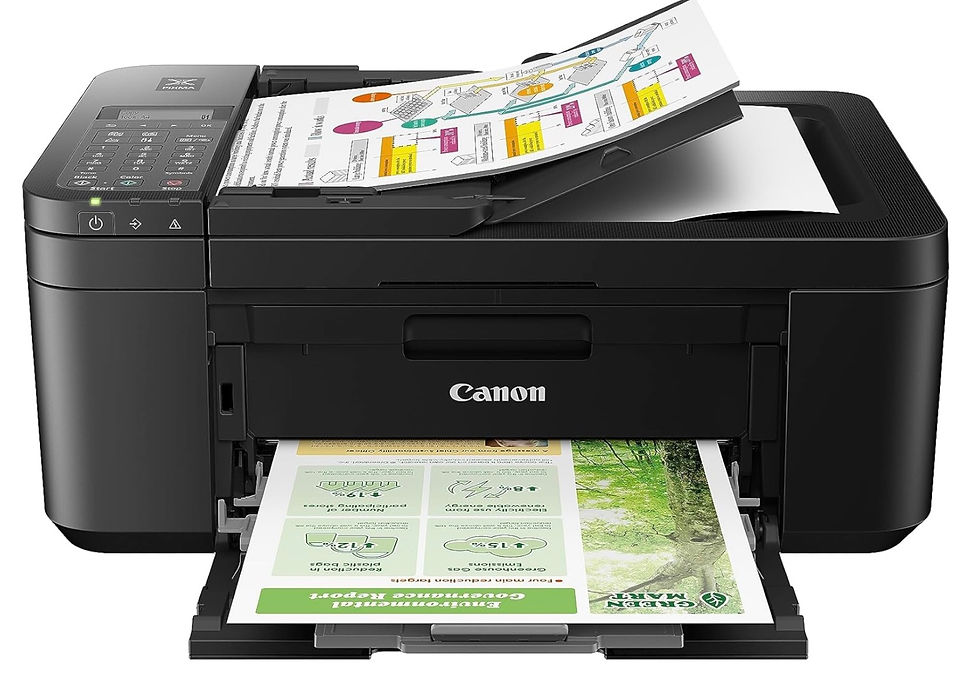
What it is: A compact, affordable wireless all-in-one inkjet with a built-in automatic document feeder and fax — features that are genuinely uncommon at this price point.
The Pros:
Inexpensive upfront, typically well under $100, making it an easy first printer for a new homeschool family testing the waters.
Includes a real automatic document feeder, which most budget printers skip — a real time-saver if you regularly scan multi-page worksheets, co-op forms, or portfolio pages.
Built-in fax, which still occasionally matters for co-op paperwork, medical forms, or official documents.
Surprisingly strong photo and graphics output for the price — colors come out vivid and detailed, which is nice for printed art projects or family photos.
Easy setup, with straightforward wireless printing from phones, tablets, and laptops.
The Cons:
Ink costs run high if you print often — this is genuinely one of the more expensive printers to operate per page, so it's best suited to light-to-moderate use rather than daily multi-kid worksheet printing.
Text quality is just okay — fine print can look a little gray or soft compared to a laser printer, though it's perfectly readable for everyday worksheets.
Print speed is on the slower side, especially for photos or longer documents.
Why I recommend it: If you're just starting your homeschool journey, printing occasionally rather than daily, or want one budget-friendly machine that can still handle the occasional scan or fax, this hits a nice balance of low upfront cost and genuinely useful features — as long as you're not asking it to keep up with heavy daily printing.
💸 New to homeschooling and not sure how much you'll actually print yet? Start here — it's a low-cost way to cover the basics, with a few extra features most budget printers leave out. 👉 Check the current price on Amazon
Best Compact Pick for Text-Heavy Printing: Brother DCP-L2640DW
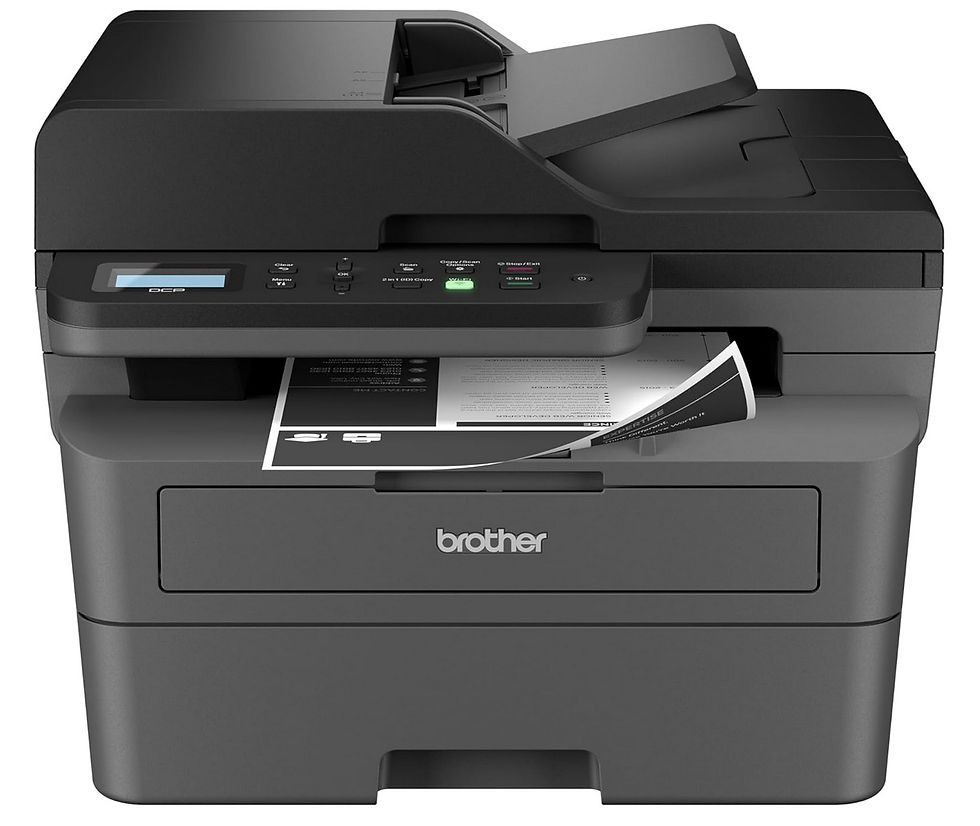
What it is: A compact monochrome (black-and-white) laser all-in-one built for speed and durability, with automatic duplex and a 50-page document feeder.
The Pros:
Genuinely fast — up to 36 pages per minute, which makes quick work of long worksheet packets, copywork pages, or printed chapters.
Toner-based reliability — like my top pick, it won't dry out between uses the way inkjet cartridges can.
Built-in auto document feeder and duplex printing standard, which is unusual at this size and price.
More compact and lighter than a full color laser all-in-one, which is helpful if desk space is tight.
The Cons:
Black-and-white only — no color printing at all, so it won't handle colorful diagrams, art projects, or photos.
You'll likely want a second printer (or a color option from elsewhere on this list) for anything that needs color.
Why I recommend it: If the bulk of your homeschool printing is text — worksheets, copywork, reading material, printed schedules — and you'd rather not pay a premium for color capability you rarely use, this is one of the fastest, most reliable ways to handle that volume.
📄 If 90% of what you print is plain text worksheets and copywork, this is the speed-and-reliability option that won't make you pay for color you don't need. 👉 See it on Amazon
Best for Big Families & High-Volume Printing: Epson EcoTank ET-4950
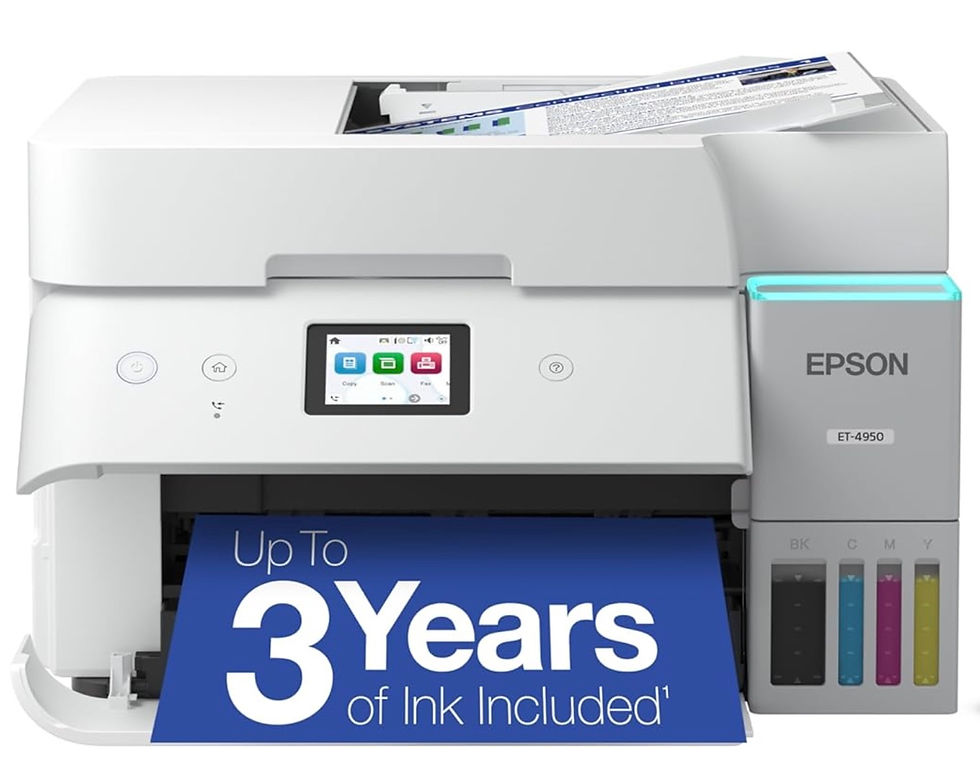
What it is: A higher-capacity supertank all-in-one with a full automatic document feeder (including duplex scanning), built-in fax, and a larger paper tray than the ET-2800.
The Pros:
Built for serious volume — Epson positions this as a true home-office workhorse, with a duty cycle roughly double that of the smaller EcoTank models.
Massive ink savings remain the headline feature — up to 6,600 black and 5,500 color pages from the included ink, with up to 90% savings on refills versus standard cartridges.
A real automatic document feeder that scans both sides, unlike the base ET-2800 — genuinely useful for large homeschool families managing piles of multi-page documents, portfolios, and co-op paperwork.
250-sheet main paper tray plus the larger overall build means fewer interruptions during a big printing week.
The Cons:
Higher upfront cost than the smaller EcoTank models or budget inkjets.
Bulkier footprint — this is a printer that needs a dedicated spot, not a shared corner of a small desk.
Photo and fine-graphic quality still trails a true laser or photo printer, the trade-off of ink-tank technology in general.
Why I recommend it: If you have multiple kids each needing their own daily printed materials, plus regular scanning needs for portfolios or record-keeping, this is the printer built to keep up with genuinely high volume without ever sending you back to the store for ink.
👨👩👧👦 Homeschooling three, four, or more kids? This is the printer built specifically for the volume that comes with a big learning household. 👉 Check pricing on Amazon
Quick Comparison: Which One Is Actually Right for You?
Printer | Best For | Color? | Ink/Toner Cost |
Daily, all-around homeschool use | Yes | Moderate | |
Heavy color printing, tight ink budget | Yes | Very low | |
Light, occasional printing | Yes | Higher per page | |
Text-heavy, black-and-white only | No | Low | |
Big families, high volume | Yes | Very low |
If you only remember one thing from this whole post, let it be this: figure out roughly how much, and what kind, of printing your homeschool actually does before you buy — that single decision will save you more money and frustration than any individual feature on this list.
My Honest Final Take
I tried the budget route first. I really did. And it cost me more in frustration, dried-out cartridges, and emergency print-shop runs than I want to admit. The Brother MFC-L3720CDW was the printer that finally let me stop thinking about the printer — which, two years into daily homeschool use, is honestly the highest compliment I can give a piece of equipment.
Whatever you choose from this list, pick based on your actual printing habits, not the lowest price tag. Your future self, mid-lesson with four kids waiting on worksheets, will thank you.
Disclosure: This post contains affiliate links. As an Amazon Associate, I earn a small commission from qualifying purchases made through these links, at no additional cost to you. The Brother MFC-L3720CDW is a printer I personally purchased and have used in my own homeschool for two years; all other recommendations are based on thorough research, specs, and verified owner feedback.
Comments